Submit your Carrd for a review & feature.
Need help getting your website idea out there? Hire the best Carrd creators available.
The best Carrd creators at your fingertips
Need help getting your website idea out there? Hire the best Carrd creators available.
Carrd Designers
Join an X community to stay connected with professional Carrd designers
Join communityAugust 28, 2026
5 free tools to help elevate your Carrd's art content
Not every Carrd starts with a library of beautiful artwork. Sometimes you've got a great idea for a site, a solid layout, a color palette you love... and then you reach the part where you need something visual to fill the space.
And you have absolutely nothing.
Maybe you're not familiar with Photoshop or Illustrator. Maybe you're not particularly confident in the “art department.” Or maybe you've already got the imagery you need, but it feels a little too clean, too ordinary, or just doesn't quite fit the world you're trying to create. That's where a few simple tools can go a surprisingly long way.
We've put together five free creative tools that can help you generate visual content from scratch, transform imagery you already have, or add those little details that make a design feel distinctly yours. You don't need to use all five, either. Pick one, experiment, and see where it takes you. Or combine them. That's where things can get really interesting.
01 — Gradlab
Start with a blank canvas.
Sometimes the hardest part of creating visual content is simply having something to start with.
Gradlab gives you exactly that: a browser-based gradient playground for creating animated mesh gradients, without needing to install anything or learn another piece of software.
Play with the colors, shapes, movement, and effects until you've got something that fits the visual language of your Carrd.
Gradlab's gradients can become backgrounds, hero imagery, overlays, textures, or standalone graphics. And because you're starting with something generated specifically for your project, you aren't relying on the same stock image everyone else has already seen.
Why we like it
It's an easy place to begin experimenting.
You don't need to know how to draw. You don't need an illustration degree. You just need a sense of what colors look good together and a willingness to play around.
And sometimes that's all a good visual needs.
Try it when: You need a background, abstract artwork, or a visual starting point.
02 — Grainrad
Make the clean image a little less clean.
Digital imagery can sometimes feel... well, too digital.
That's where Grainrad comes in.
Grainrad lets you apply effects like ASCII, dithering, halftone, and grain to images in real time. Take an image you already have and start experimenting.
A photograph can suddenly feel printed. A clean graphic can take on a rougher texture. A portrait can become something that looks like it came from an old terminal, newspaper, or low-resolution display.
And because the effect is applied to your existing artwork, you don't have to start over.
Why we like it
Texture is one of those details that can completely change the personality of a graphic.
A little grain can make something feel analog. Halftone can make it feel editorial. Dithering can introduce a digital or retro quality.
It's a small change that can have a surprisingly big impact.
Try it when: Your imagery feels too polished, too flat, or doesn't quite match the aesthetic you're after.
03 — Artkit
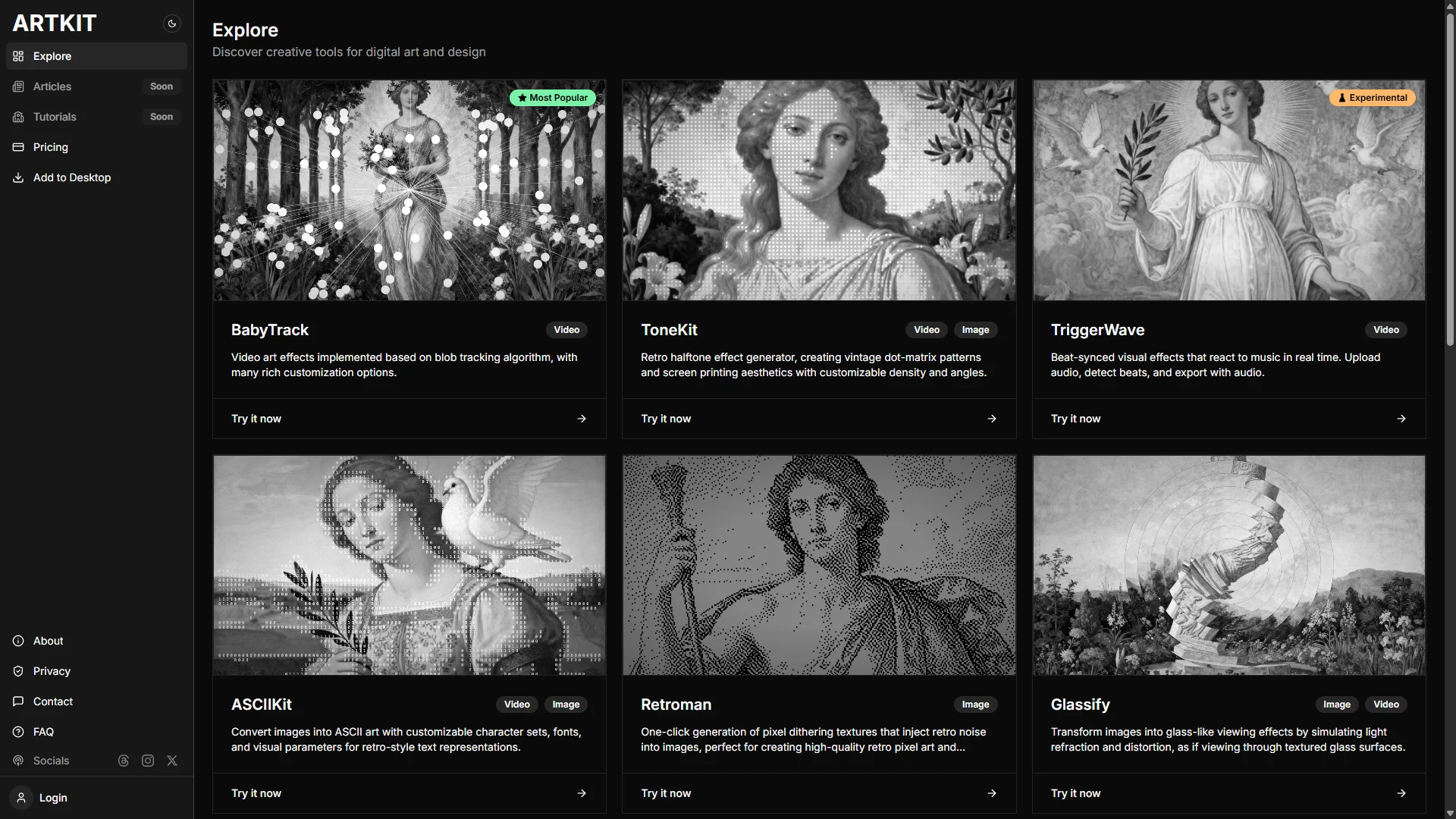
A little toolbox for the art department.
Artkit takes a slightly different approach from the other tools on this list.
Rather than being built around one particular visual effect, Artkit is a collection of lightweight creative tools designed with creators and developers in mind.
The philosophy is refreshingly simple: tools should have clear goals, clean interfaces, low learning curves, and be useful beyond a single experiment.
That makes Artkit worth exploring when you're not quite sure what your image needs yet.
Why we like it
Creative software can become intimidating very quickly.
Sometimes you don't need a giant application with hundreds of controls. You just need a small tool that does one thing well.
Artkit is built around that idea.
Explore the available tools, find something that catches your eye, and experiment. You might discover an effect or workflow you wouldn't have thought to try otherwise.
Try it when: You know your visual needs something, but you're not quite sure what that something is.
04 — Refract
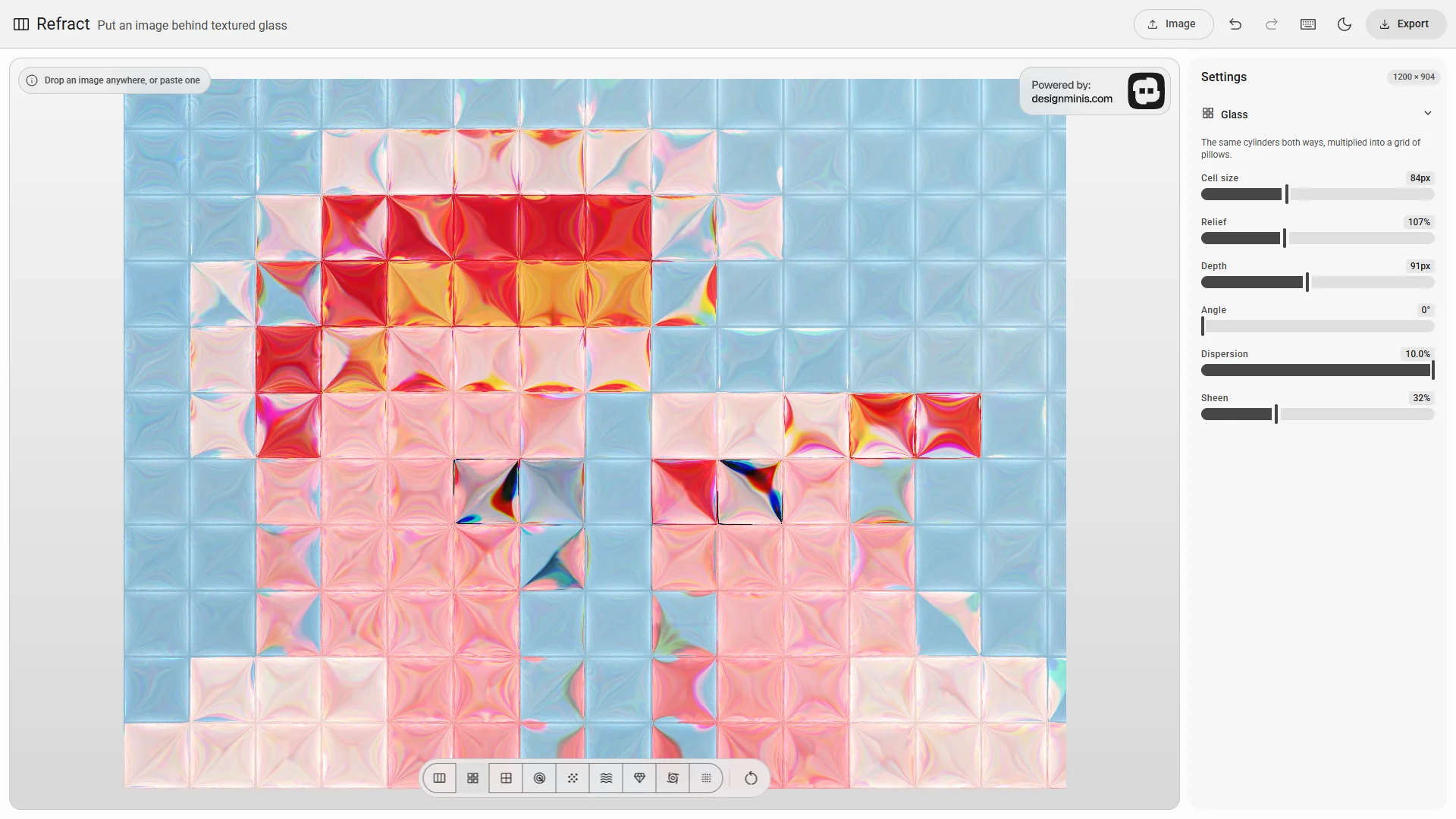
Put your images behind glass.
What happens when you take an ordinary photograph and look at it through textured glass?
That's essentially the idea behind Refract.
Drop in an image and experiment with different glass surfaces, including fluted, hammered, rippled, and rain-covered glass. Each surface changes the way the image bends, catches light, and breaks apart.
Suddenly, the same photograph can feel abstract, distorted, atmospheric, or almost physical.
Why we like it
Refract is a great example of why you don't always need new artwork.
Sometimes the artwork you already have is perfectly good.
It just needs to be seen differently.
Try refracting a photograph behind your hero text. Use a distorted version as a background. Crop the result into a small graphic. Layer multiple refracted images together.
You might end up with something that looks nothing like the original.
Try it when: You have an image you like, but want to give it a more experimental or tactile treatment.
05 — Colorflow
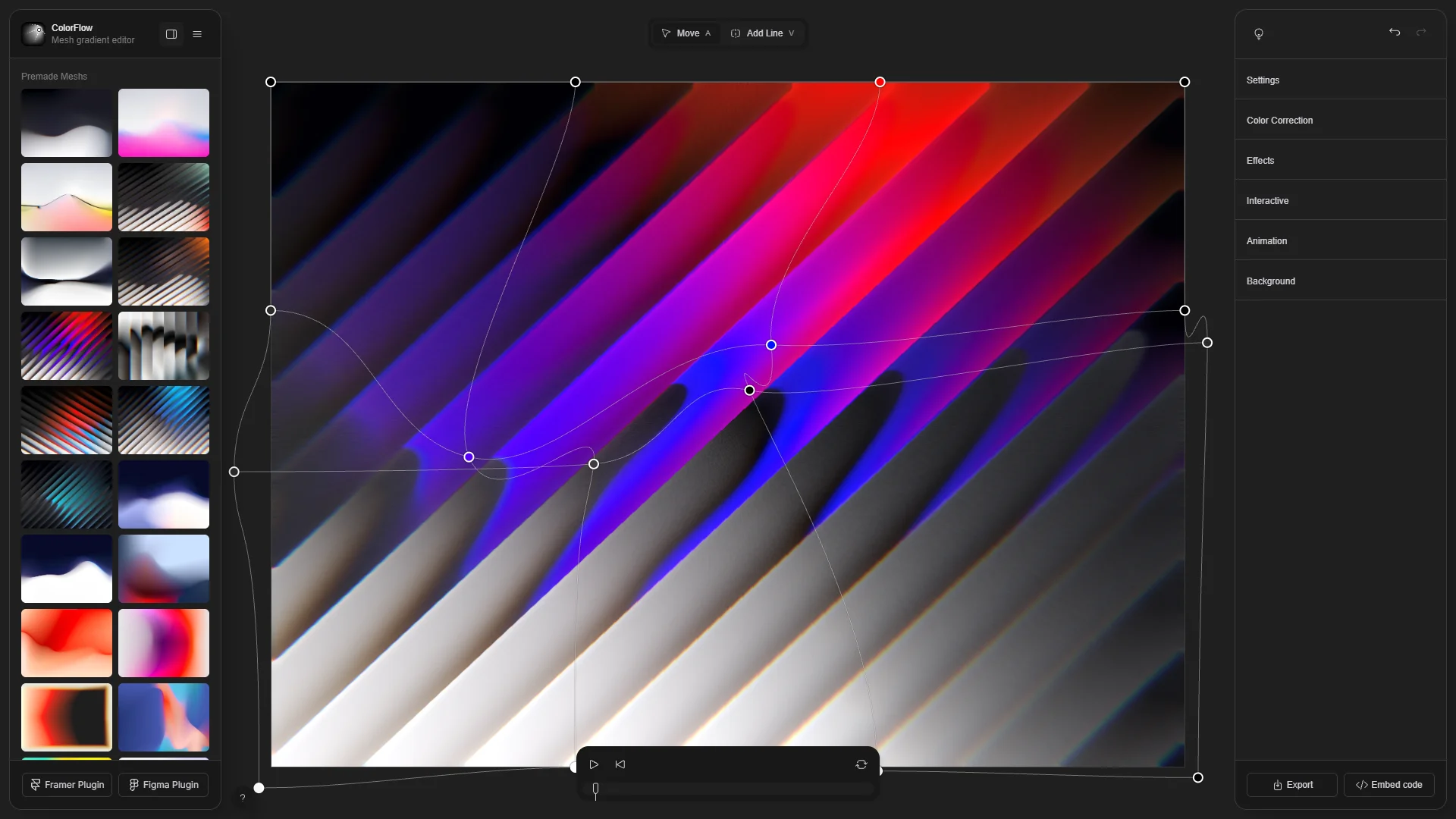
Give your gradients some life.
A gradient doesn't have to sit still.
Colorflow lets you create mesh gradients, animate them, and embed or export the result.
It's particularly useful when your Carrd needs something atmospheric rather than literal: a moving background behind a title, a subtle visual transition between sections, or an animated element that gives an otherwise static page a little life.
Why we like it
Motion can completely change how a visual feels.
A static gradient is decoration.
An animated gradient can become part of the experience.
And because Colorflow is built around gradients rather than complicated animation software, it's another relatively approachable way to add movement without having to become a motion designer overnight.
Try it when: Your Carrd feels a little too static and you want to introduce subtle movement.
Don't stop at one.
The best part about tools like these is that you don't have to choose just one.
Make a gradient in Gradlab.
Run it through Grainrad.
Take a photograph and refract it in Refract.
Layer the two together.
Bring in some animated color from Colorflow.
Suddenly, you've gone from having nothing to having a collection of visual assets that actually belong to your project.
And that's the bigger idea here.
These tools aren't meant to replace an illustrator, photographer, or graphic designer. They're simply ways to start experimenting with visual ideas when you don't have those resources available — or when you already have the resources and want to push them further.
A Carrd doesn't need a massive art budget to have a strong visual identity.
Sometimes all it needs is a little experimentation.
Start with one tool. See what happens. Then build from there.
The Carrd Space takeaway
Your Carrd's visuals don't have to come from somewhere else.
You can make them.
You can transform them.
You can break them apart and put them back together.
And with a few free tools, you might be surprised by what you can create.
